Build a REAL House Wiki Tools
Practical checklists and helpers for cleaner builds—without shady executors.
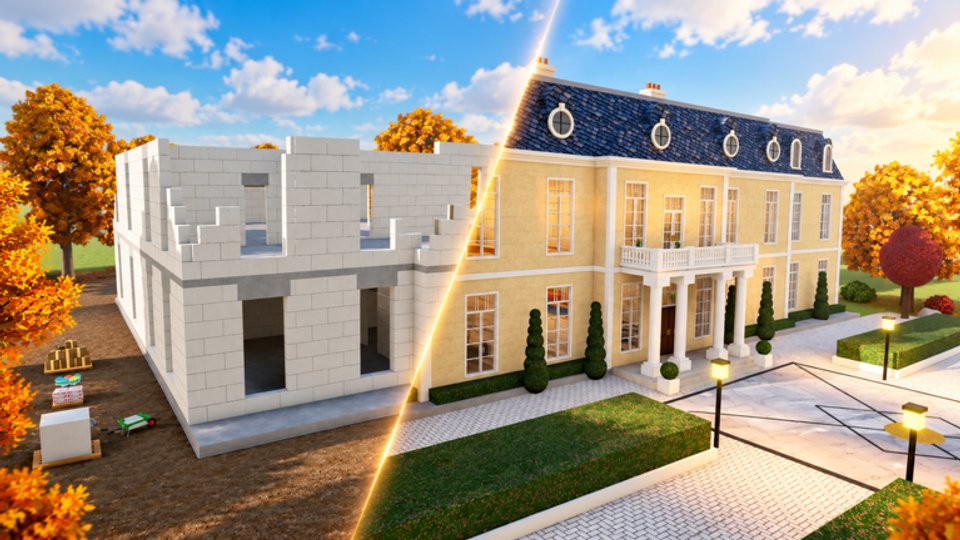
Tools that respect the build fantasy
This Tools Hub collects wiki-side helpers for Build a REAL House—not Roblox exploit injectors. The goal is simple: keep your dig → concrete → walls → roof → plaster → paint → tiles → handprint → furniture loop organized so co-op sessions waste less time and luxury houses look finished.
If you need automation talk, that lives (with warnings) on the Scripts Hub. Everything linked here is meant for legitimate play after the 21 October 2026 launch.
Featured tool
Build Checklist
An interactive-style stage checklist covering every major construction beat:
- Dig pit (+ treasure awareness)
- Pour concrete
- Raise walls
- Set roof
- Plaster
- Paint
- Lay tiles
- Handprint confirmation
- Furniture pass
Use it on House through Estate so you never paint before plaster or decorate a shell that still lacks its E handprint. The checklist page expands each stage with failure modes and co-op callouts.
How to use wiki tools in a session
- Open the relevant tool page on a second monitor or phone.
- Assign a caller in co-op who ticks stages aloud.
- Re-check Tab notebook in-game after each major stage—tools complement, not replace, official tasks.
- After patches, skim Updates in case stage order or furniture gates changed.
- Pair with Getting Started when onboarding a friend mid-session.
When to open a tool mid-progression
| Moment | Open this |
|---|---|
| First ever shell | Build Checklist + Getting Started |
| Teaching a friend co-op | Checklist caller role + Players Hub etiquette |
| Approaching Sunset / Estate | Checklist intensity notes + Updates deep dive |
| After any patch | Updates Hub, then re-run Stage 0 prep on the checklist |
| Tempted by auto-build macros | Scripts Hub warnings first—stay on wiki tools |
Tool Mastery still matters: Bronze and Silver are fine while you learn the checklist on House and Pool; aim for Gold or Diamond before long Estate tile runs so hold-click tools stay comfortable.
What belongs on this hub later
As the wiki grows, expect additional practical pages such as:
- Mastery grind planners aligned to Bronze→Rainbow.
- Furniture shopping lists for Sunset vs Estate moods.
- Co-op role cards you can read aloud.
- Pre-flight servers checklist (rejoin fresh, inspect with F, confirm HUD).
We only add tools that stay accurate to live gameplay facts from airplnae’s experience—no fake calculators that invent gem rates.
Tools versus scripts
| Wiki tools | Injected scripts |
|---|---|
| Checklists, planners, reference | Auto dig / stage macros |
| Safe for accounts | Ban and malware risk |
| Teach the intended loop | Often skip the satisfying feel |
| Updated with patch articles | Break silently after updates |
Choose the left column when you care about keeping progress and enjoying airplnae’s construction fantasy.
Related links
Start with the checklist, finish with a clean handprint, then furnish like you mean it.
Frequently Asked Questions
Quick answers to the most common questions.
Are these Roblox executor tools?
No. This hub is for wiki checklists and planners that support legitimate play. Executors are discussed only as risks on the Scripts Hub.
Which tool should I open first?
The Build Checklist—it mirrors the full dig-to-furniture order used on every house tier.
Can I use these tools in co-op?
Yes. Assign one player to track stages aloud while others dig, structure, or finish.
Do wiki tools replace the in-game notebook?
No. Keep using Tab notebook for official tasks; wiki tools add stage discipline and reminders.